
Insert AMS Connector
Place AMS Connector as the last plugin on the master bus of your DAW.
BISWAS AUDIO
AMS CONNECTOR
AMS Connector is a free AU / VST3 plugin that connects your DAW directly to the AMS Mastering Console Standalone Application.
AFTER PURCHASE
After purchasing your Biswas Audio product, download and install it through the Biswas Audio Manager application.
The Manager keeps your Biswas Audio products in one place, making installation and product management simple.
THE CONNECTOR
AMS Connector is designed to be inserted as the final plugin on your DAW master bus.
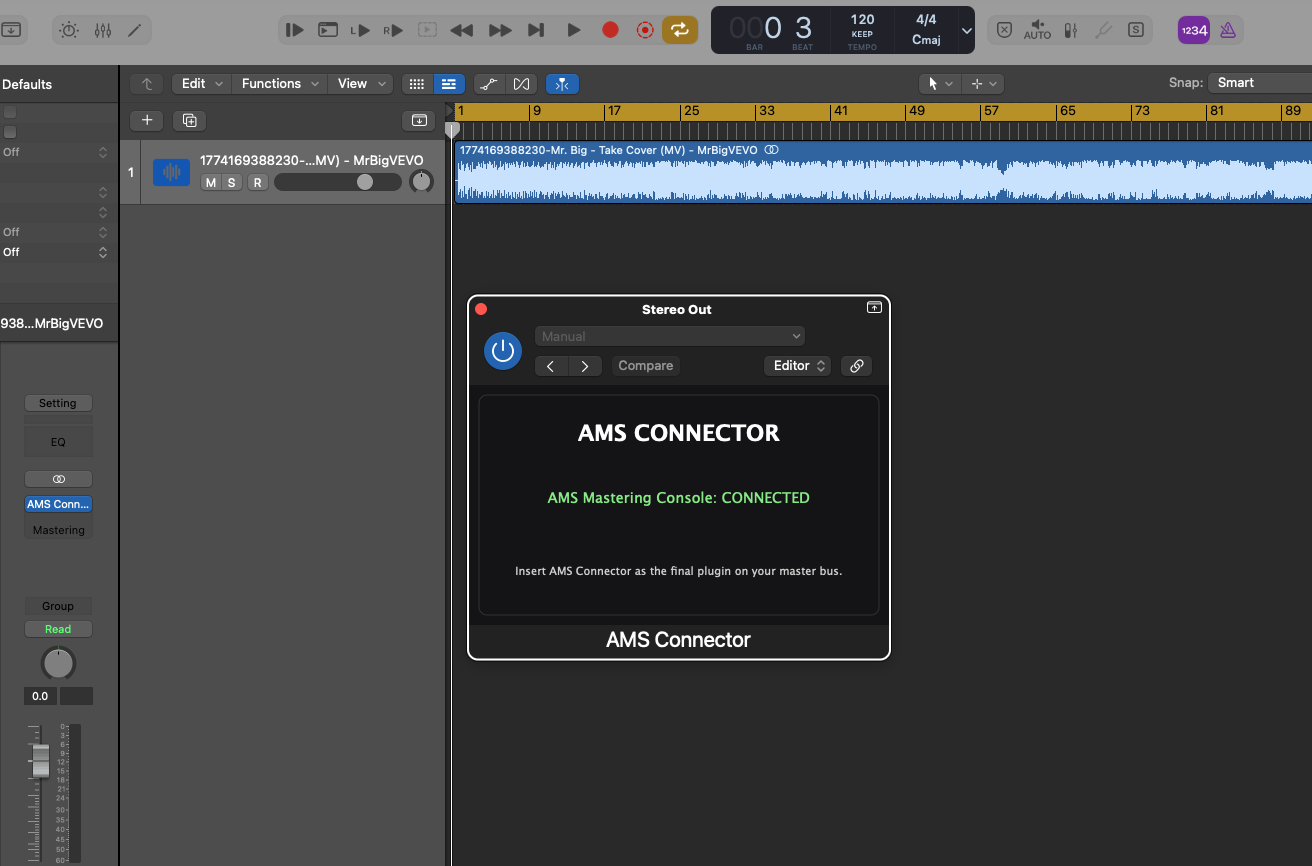
Once the connector is in place, open the AMS Mastering Console Standalone Application and select DAW CONNECT. The connector establishes the connection and displays its connected state.
WORKFLOW
AMS Connector keeps the DAW side simple. Insert it once, connect from the AMS Mastering Console, and the complete mastering signal is ready to work inside AMS.
Place AMS Connector as the last plugin on the master bus of your DAW.
Launch the AMS Mastering Console Standalone Application on your computer.
Select DAW CONNECT inside the AMS Mastering Console to establish the connection.
AMS Connector displays the connected state and the DAW signal is ready for mastering inside AMS.
HOW IT WORKS
AMS Connector acts as the bridge between your DAW and the AMS Mastering Console Standalone Application.
There is no additional mastering interface to configure inside the plugin. The mastering workflow happens in the dedicated AMS Console.
FEATURES
Designed specifically for the final plugin position on your DAW master bus.
Start the connection directly from the AMS Mastering Console Standalone Application.
Once connected, AMS Connector clearly indicates that the connection has been established.
AMS Connector is provided as a free plugin for the AMS mastering workflow.
COMPATIBILITY
AMS CONNECTOR
Insert AMS Connector at the end of your DAW master bus, open AMS Mastering Console and click DAW CONNECT.