
DAW Connect
Place AMS Connector as the final plugin on your DAW master bus and send the complete master signal directly to the AMS Mastering Console.
BISWAS AUDIO
AMS MASTERING CONSOLE
A dedicated mastering environment designed for precise, musical control over the final sound.
AFTER PURCHASE
After purchasing your Biswas Audio product, download and install it through the Biswas Audio Manager application.
The Manager keeps your Biswas Audio products in one place, making installation and product management simple.
AMS Mastering Console brings the complete mastering process into a dedicated application, giving you a focused workspace for making confident final decisions.
Connect your DAW, arrange the rack, analyse the master, fine-tune each processor, print the complete rack output, and export the final file.
Place AMS Connector as the final plugin on your DAW master bus and send the complete master signal directly to the AMS Mastering Console.
Drag and drop rack units to change the processing order. Double-click any rack unit to bypass it for fast A/B comparisons.
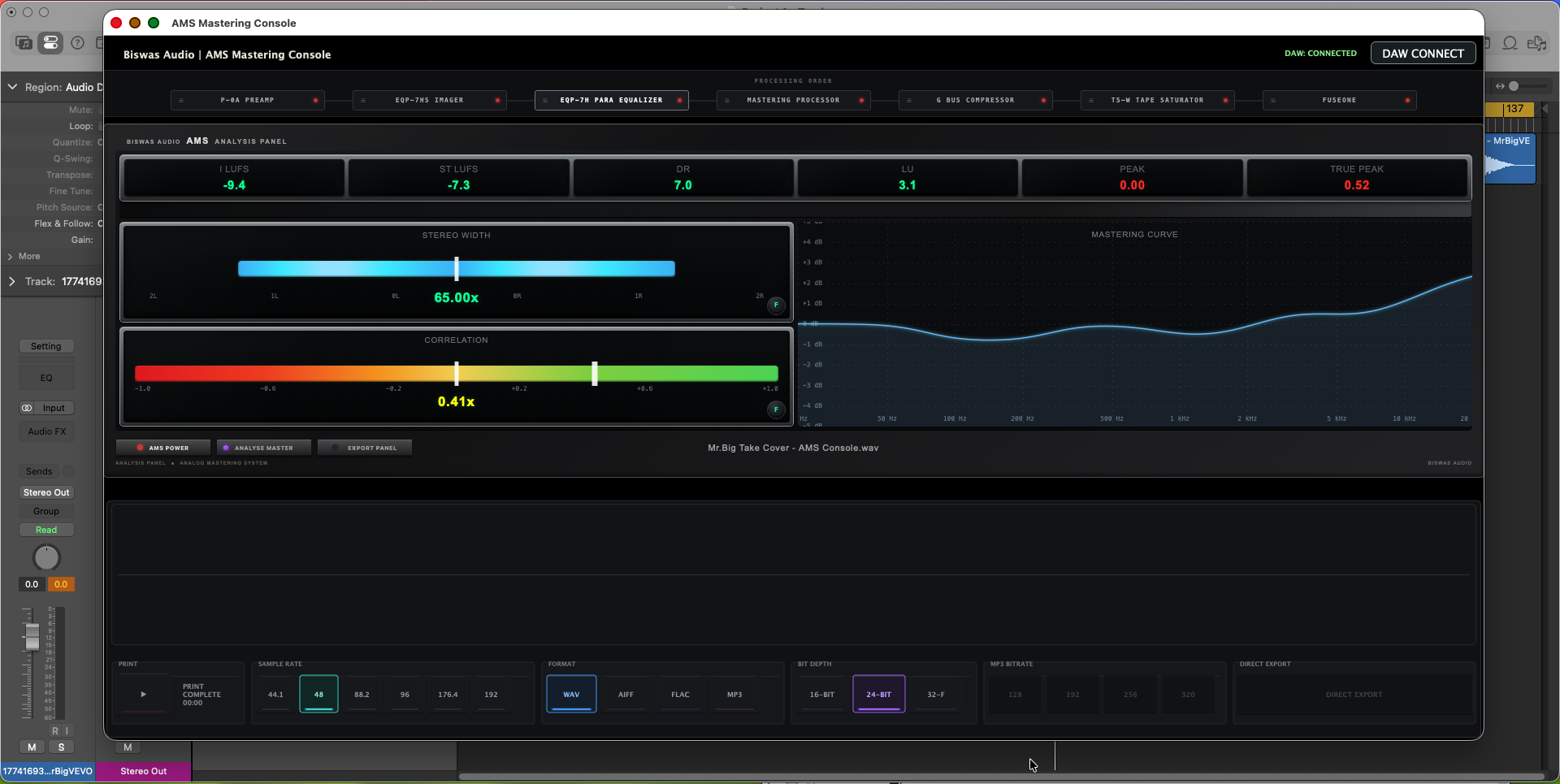
Analyse loudness, dynamics, peaks, stereo behaviour and frequency balance before committing to the final master.
Print the complete AMS rack output and then export the finished master in the required delivery format.
AMS CONNECTOR
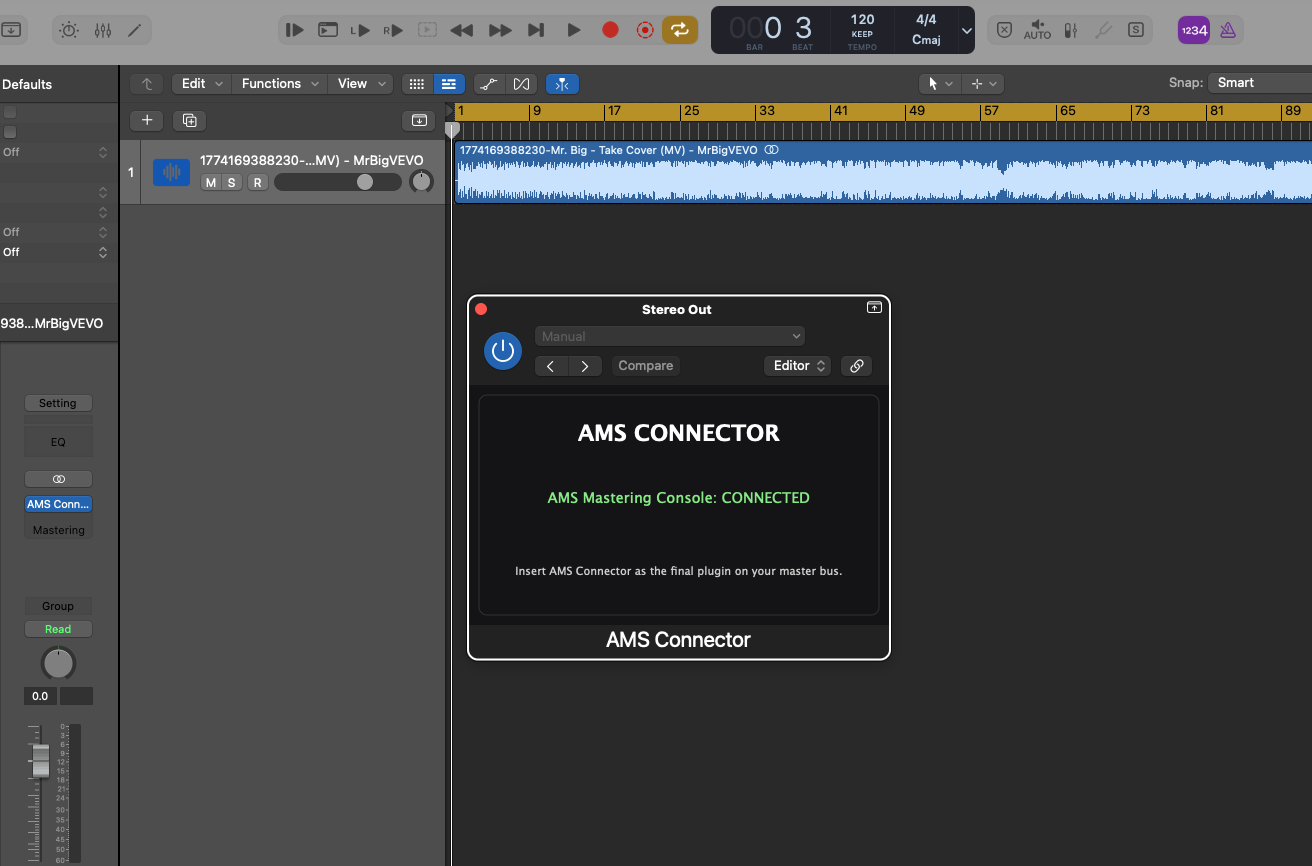
AMS Connector is the bridge between your DAW and the AMS Mastering Console. Insert it as the final plugin on your DAW master bus, then connect it to the standalone application.
Insert the free AMS Connector plugin as the final plugin on your DAW master bus.
Launch the AMS Mastering Console standalone application on your computer.
In the AMS Mastering Console, click the DAW Connect button to establish the connection.
Once connected, the AMS Connector plugin will show Connected. Your DAW master signal is now routed to the AMS Mastering Console.
AMS MASTERING CONSOLE
A complete mastering environment built around seven dedicated processors — from front-end gain and stereo shaping to tonal control, dynamics, tape character and the integrated FUSEONE mastering stage.
Analog-Style Preamplifier
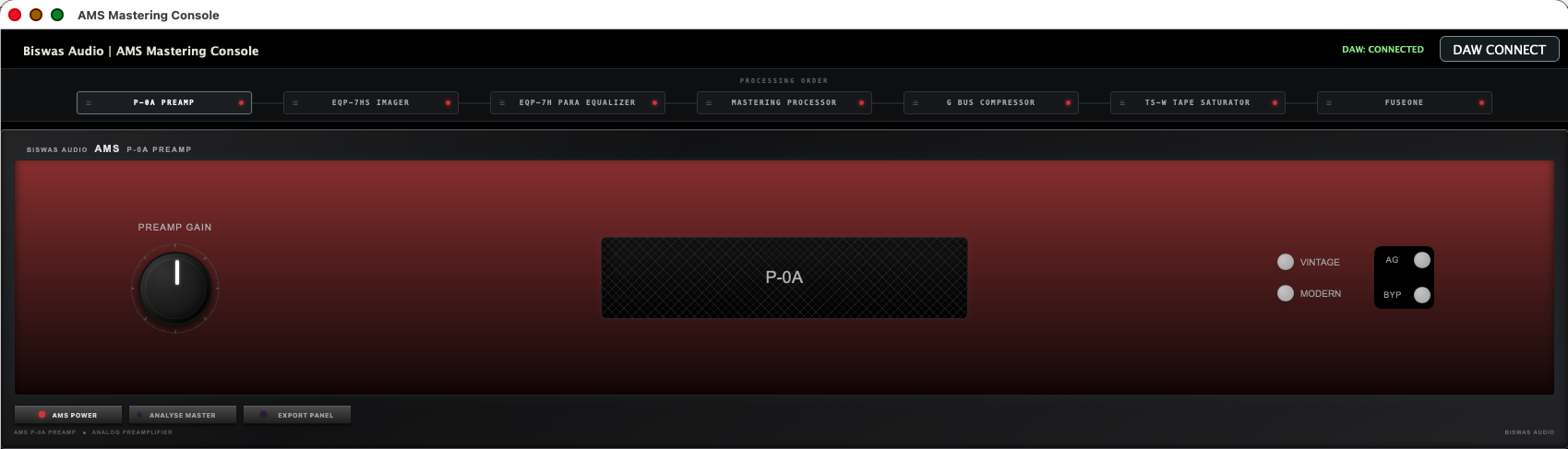
An analog-style front-end gain stage for setting the initial level and adding controlled character before downstream processing. PREAMP GAIN establishes input drive, while Vintage and Modern provide different operating characters. AG provides automatic/assist gain control and BYP allows direct comparison.
7-Band EQ + Multi-Band Stereo Imager
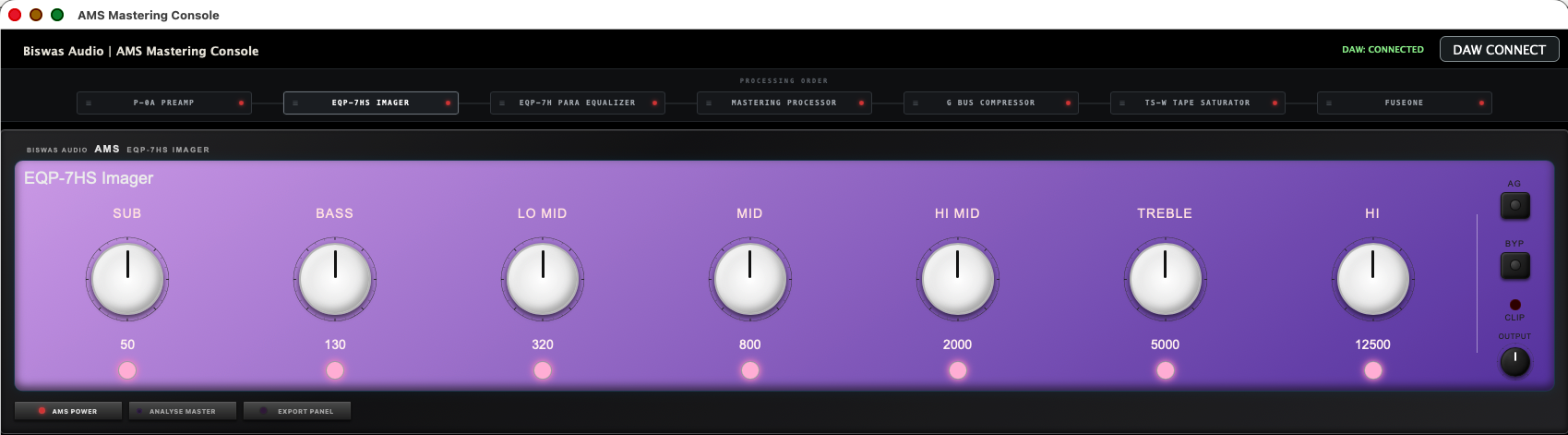
Seven independent frequency bands provide individual stereo-width control for shaping the image across the mastering spectrum. The bands are SUB 50 Hz, BASS 130 Hz, LO MID 320 Hz, MID 800 Hz, HI MID 2 kHz, TREBLE 5 kHz and HI 12.5 kHz. AG, BYP and output/clip monitoring complete the stage.
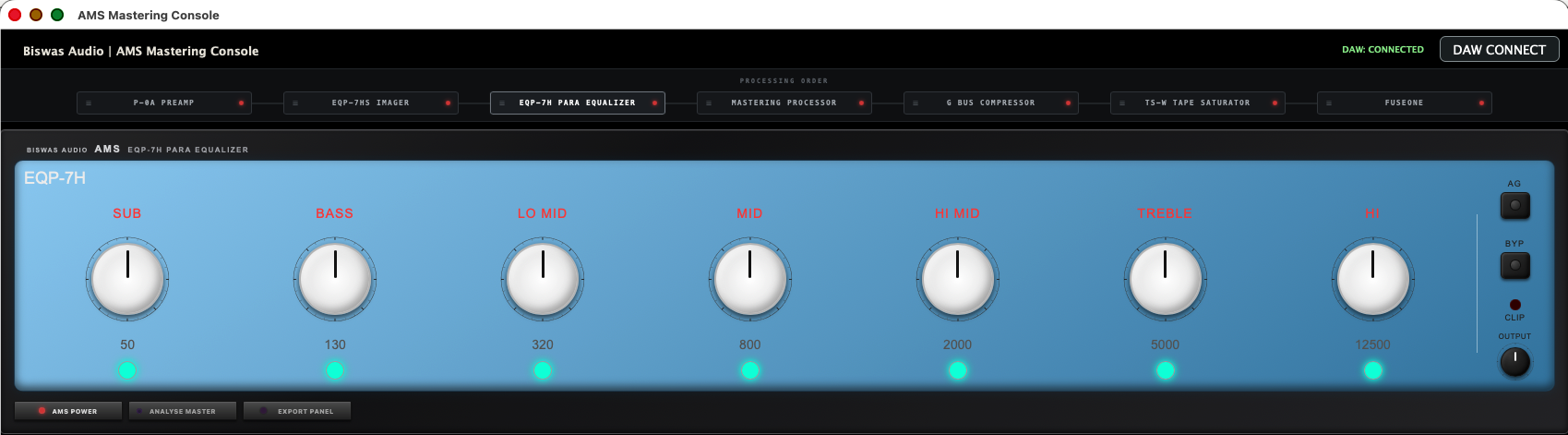
7-Band Precision Tone Shaping
A seven-band mastering equalizer for controlled tonal correction and enhancement across the full spectrum. The seven sections are SUB, BASS, LO MID, MID, HI MID, TREBLE and HI, with frequency centers at 50, 130, 320, 800, 2000, 5000 and 12500 Hz.
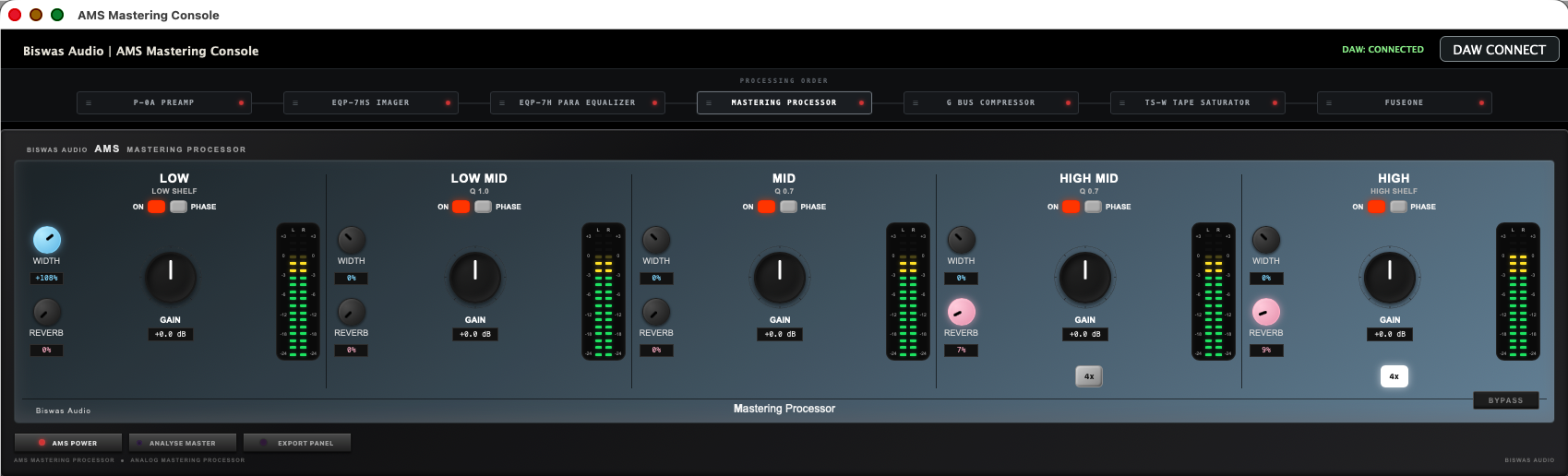
5-Band Mastering Processor
A five-band mastering processor providing independent processing across the mastering spectrum, including per-band stereo-width and reverb controls. The stage is designed for detailed dynamic and spatial refinement while retaining precise control over each frequency region.
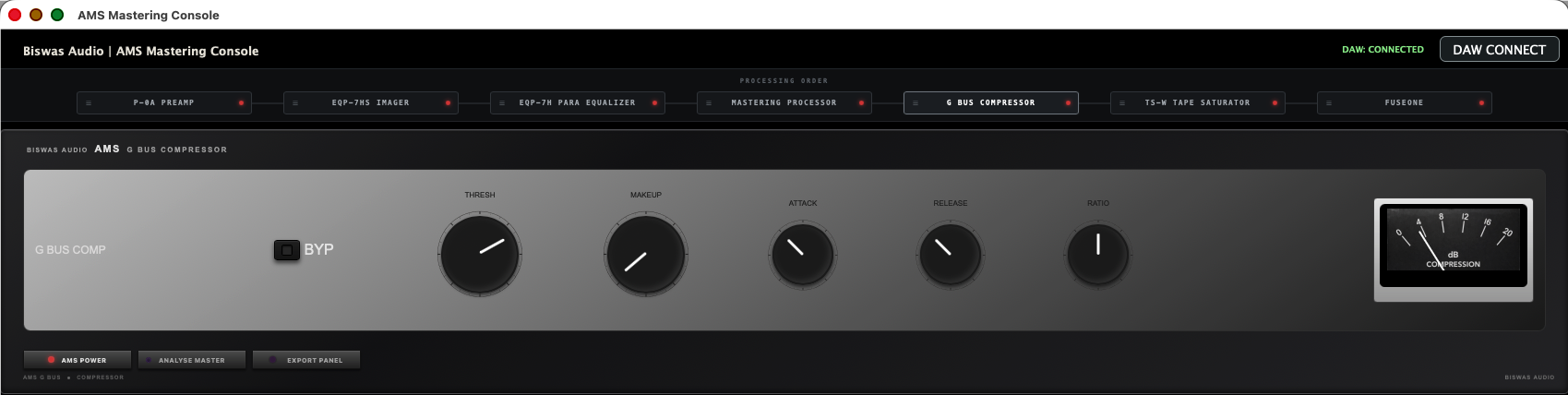
Stereo Bus Compressor
A dedicated stereo bus compressor for controlled dynamics and cohesion. THRESHOLD determines when compression begins, MAKEUP restores level after gain reduction, while ATTACK, RELEASE and RATIO shape the compression response. BYP enables A/B comparison and the compression meter provides gain-reduction feedback.
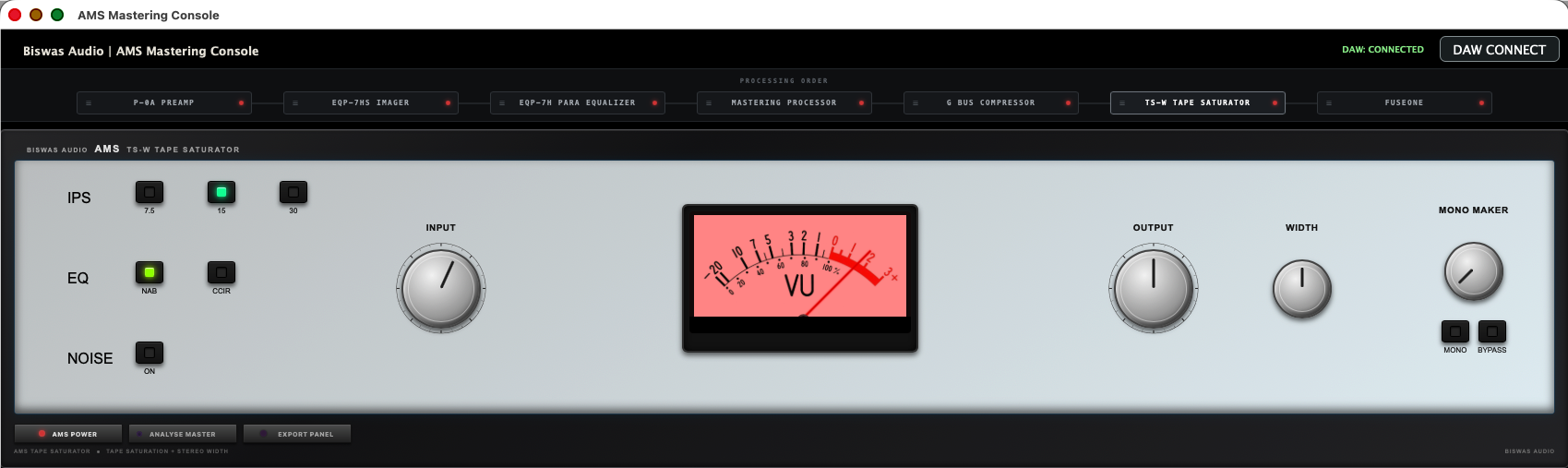
Tape Saturation • Tone • Stereo
A tape-style processor for harmonic character, tonal weight and controlled stereo shaping. Selectable tape speeds of 7.5, 15 and 30 IPS, EQ modes, optional noise, independent INPUT and OUTPUT, WIDTH and MONO MAKER controls provide the final tape character and stereo management.
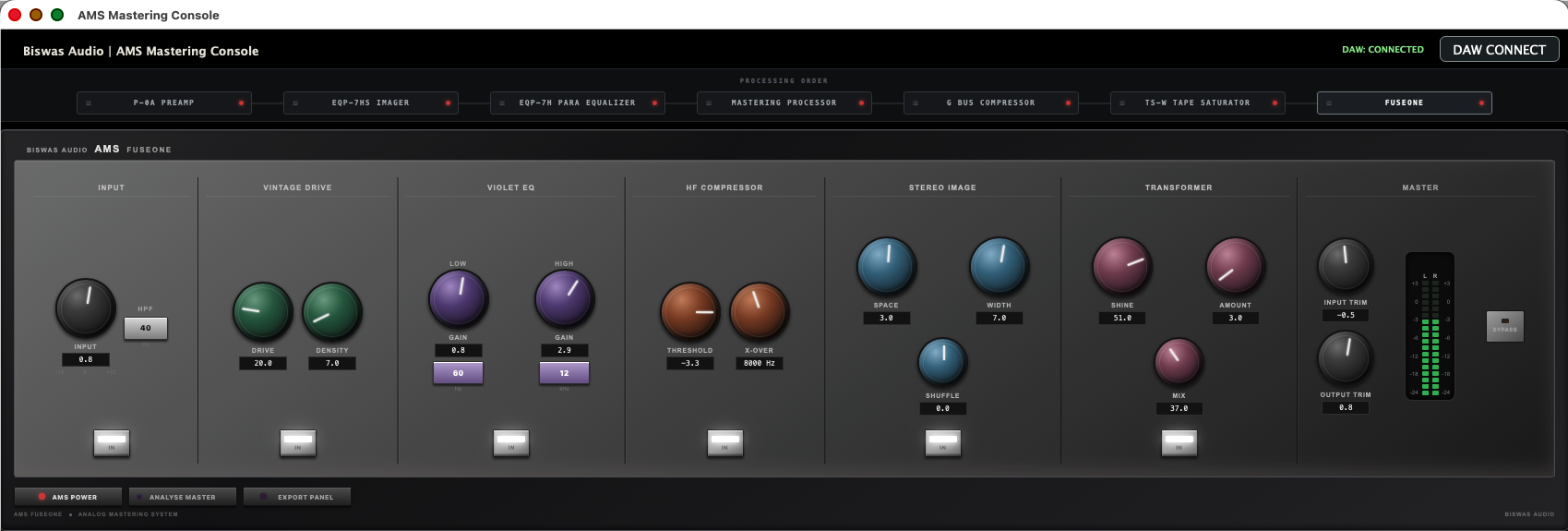
Full AMS Mastering Rack
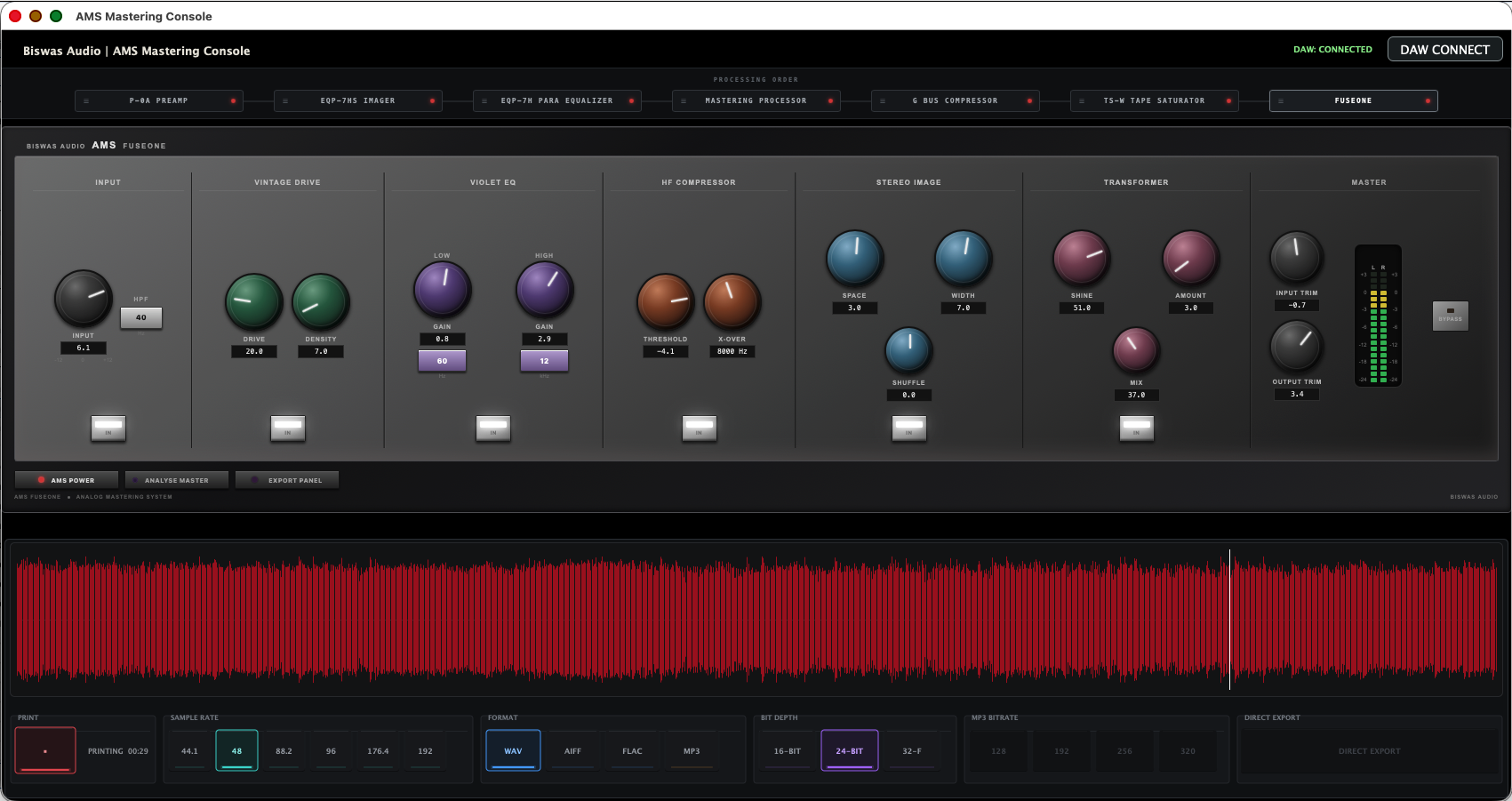
The integrated AMS mastering rack combines the major AMS processing stages into one surface. It includes INPUT and high-pass filtering, VINTAGE DRIVE, VIOLET EQ, HF COMPRESSOR, STEREO IMAGE with Space, Width and Shuffle controls, TRANSFORMER color and amount, and a MASTER section with input/output trim, bypass and final metering.
COMPLETE AMS SIGNAL CHAIN
You can rearrange the signal chain to change the processing order.
RACK UNITS PRESET
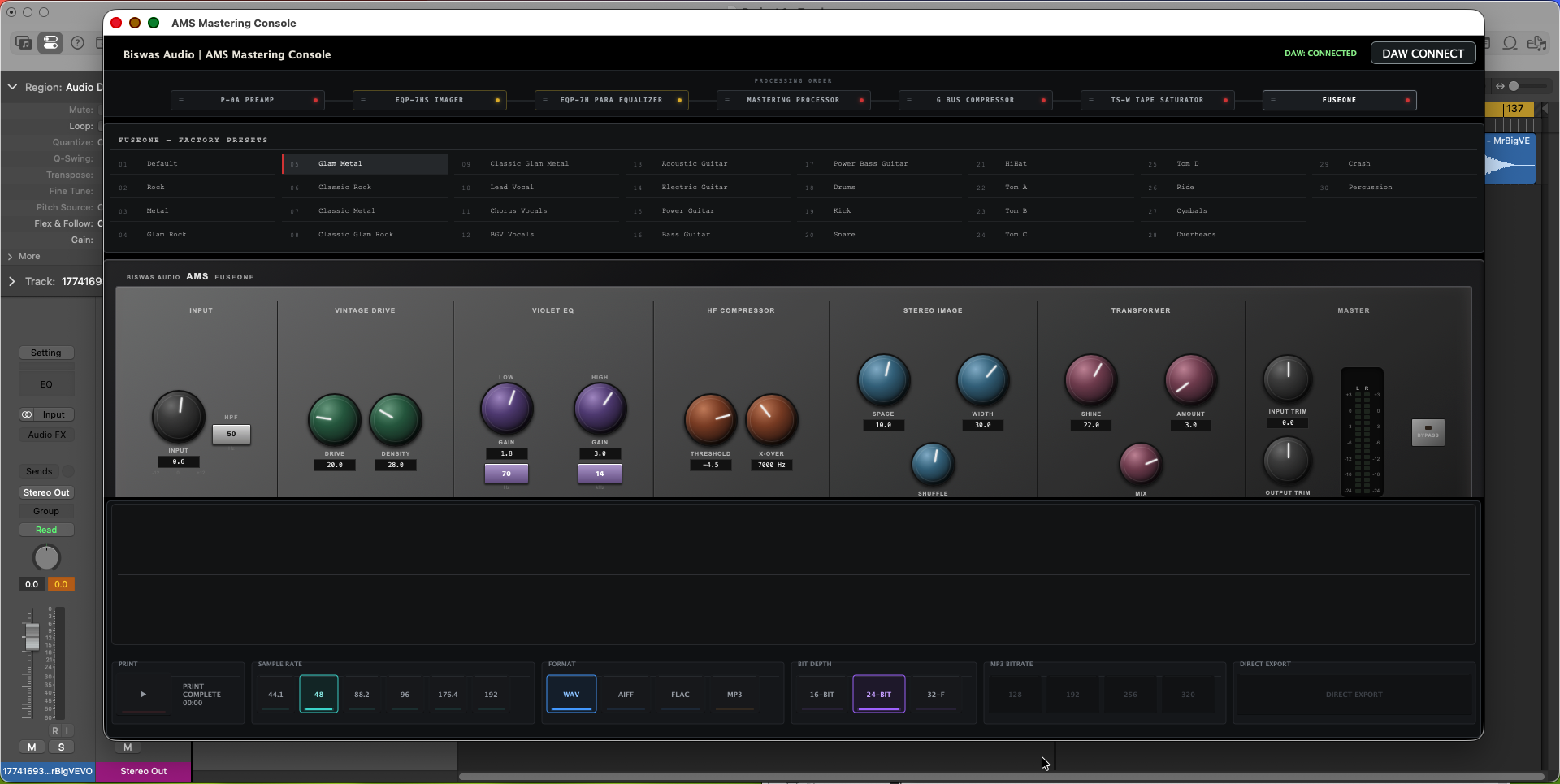
Each rack unit comes with 30 professionally designed presets to help you shape your sound quickly and confidently.
Clicking on any processing order unit on the left side will open the preset panel for that processor.
Every rack processor includes 30 carefully designed presets, giving you a fast starting point for different mastering situations.
Double-click any processing order unit to bypass that processor instantly for quick A/B comparison.
ANALYSIS MASTER
Drag and drop an audio file over the Analysis Master panel. AMS analyses the song and presents a complete master report.
EXPORT PANEL
Printing captures the final output of the complete AMS rack. Direct Export becomes available after printing has completed.
Keep the DAW sample rate and export settings aligned with the intended delivery and print again if any rack setting changes after printing.
AMS MASTERING CONSOLE
A complete professional mastering workflow from DAW connection to final export.